Call Or WhatsApp Us 03342083922

- Description
Practical Microsoft Office Training for Every Skill Level
Our MS Office Course in Karachi provides practical training in Microsoft Word, Excel and PowerPoint for students, job seekers and working professionals. The course starts from the basics and progresses to advanced features through hands-on exercises, assignments and real-world office tasks.
Students learn how to create professional documents, work with spreadsheets and formulas, prepare presentations, manage data and perform everyday office tasks efficiently. Physical classes are available in Karachi, along with online classes for students who prefer remote learning.
Students can obtain a certificate after completing the MS Office course. The training covers practical use of Microsoft Word, Excel and PowerPoint, helping students develop computer skills useful for office, academic and professional work. Certificate charges are separate from the course fee.
Learn Microsoft Office from Basic to Advanced
This Microsoft Office course is designed for beginners as well as students and professionals who want to improve their existing computer skills. Training covers the practical use of Microsoft Word, Excel and PowerPoint along with essential computer, internet and email skills.
Instead of focusing only on theory, students practice common office tasks such as preparing documents, managing spreadsheets, performing calculations, organizing data and creating professional presentations. The aim is to develop practical MS Office skills that can be applied in academic, business and workplace environments.
Complete Office Automation Training
Our Office Automation training covers essential applications and computer skills used for everyday office work. Students receive practical guidance and exercises throughout the course.
- Computer Fundamentals & File Management
- Internet & Email
- Microsoft Word
- Microsoft Excel
- Microsoft PowerPoint
- Professional Documents & Reports
- Spreadsheets, Formulas & Data Management
- Professional Presentations
What You Will Learn in MS Office
Microsoft Word
Learn how to create, edit and format professional documents using Microsoft Word. Students practice common tasks required for academic, personal and office work.
- Create and Format Professional Documents
- Page Layout & Document Formatting
- Tables, Images & Document Elements
- Letters, Applications, Reports & CVs
- Page Setup & Printing
- Useful Microsoft Word Shortcut Keys
Microsoft Excel
Develop practical spreadsheet skills using Microsoft Excel, from basic data entry and formatting to formulas, functions, charts and data analysis tools.
- Worksheets, Rows, Columns & Data Formatting
- Mathematical & Logical Functions
- LOOKUP Functions
- Tables, Charts & Pivot Tables
- Data Consolidation & Auditing Tools
- Creating Basic Dashboards
- Budgets, Expenses & Business Worksheets
Microsoft PowerPoint
Learn how to prepare clear and professional presentations using Microsoft PowerPoint for academic, business and workplace requirements.
- Create Professional Presentations
- Slide Layouts & Customization
- Work with Text, Images, Tables & Charts
- Presentation Formatting & Design
- Prepare Academic & Business Presentations
Hands-On MS Office Practical Training
This MS Office course focuses on practical learning rather than theory alone. Students work on exercises and assignments based on common office requirements, including document preparation, spreadsheets, calculations, reports and presentations.
Practical training helps students understand how Microsoft Office applications are used in real working environments. Physical students can practice tasks in the computer lab, while online students can learn and complete practical exercises remotely.
Who Should Join This MS Office Course?
The course is suitable for beginners, so previous Microsoft Office experience is not required. It can also help learners who already know the basics and want to improve their Word, Excel and PowerPoint skills.
- Students who want practical computer skills
- Job seekers preparing for office-based positions
- Office assistants and administrative staff
- Business owners managing documents and records
- Professionals who want to improve their MS Office skills
- Beginners looking for Office Automation training
MS Office Course Outline
[For Detailed Outline Visit Our Institute or Book Demo Class]
- Computer Fundamentals & File Management
- Internet & Email
- Microsoft Word from Beginner to Advanced Level
- Professional Document Formatting & Layout
- Microsoft Excel from Beginner to Advanced Level
- Mathematical & Logical Functions
- LOOKUP Functions
- Tables, Charts & Pivot Tables
- Data Consolidation in Excel
- Excel Auditing Tools
- Creating Basic Dashboards
- Microsoft PowerPoint Presentations
- Slide Formatting & Customization
- Shortcut Keys for Word, Excel & PowerPoint
- Practical Office Assignments & Exercises
Career Opportunities After Learning MS Office
Microsoft Office skills are useful for documentation, spreadsheets, reports, presentations and everyday administrative work. Depending on a candidate's education, experience and other job requirements, these skills can support a variety of office-based roles.
- Office Assistant
- Data Entry Operator
- Office Coordinator
- Administrative Assistant
- Receptionist
- Documentation Assistant
Frequently Asked Questions
What is the duration of the MS Office course?
The MS Office course duration is 2 months. Students receive practical training in Microsoft Word, Excel, PowerPoint and essential computer skills.
What is the fee for the MS Office course in Karachi?
The complete course fee is Rs. 12,000 lump sum. For current batch timings and admission details, contact UI Learning Institute.
Do I need previous computer experience to join?
No. The course is suitable for beginners and starts with essential computer concepts before progressing to practical Microsoft Office skills.
Does the MS Office course include a certificate?
Yes. A certificate is available after completing the course. Certificate charges are separate from the course fee.
What is included in the MS Office course?
The course includes Microsoft Word, Microsoft Excel, Microsoft PowerPoint, computer fundamentals, internet and email, along with practical exercises and assignments.
Is this also an Office Automation course?
Yes. The training covers practical office automation skills using Microsoft Word, Excel and PowerPoint, along with essential computer, internet and email skills used in office environments.
Are MS Office classes available online?
Yes. Physical and online classes are available, allowing students to choose the learning mode that suits them.
Where can I learn MS Office in Karachi?
Physical classes are available at UI Learning Institute, Nipa Chowrangi, Gulshan-e-Iqbal Block 10, Karachi. Students can contact the institute for current batch timings or book a demo class.
Is MS Office useful for jobs in Pakistan?
Microsoft Word, Excel and PowerPoint are widely used for documentation, spreadsheets, reports and presentations. These skills are useful for many administrative, office and data-entry roles, although job requirements vary by employer.
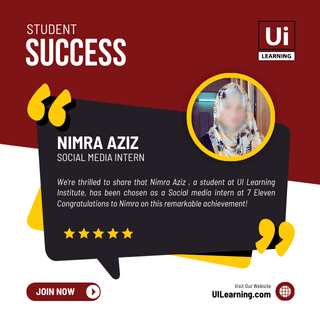
Our Student Success
Explore our Student Success Showcase and discover the achievements of students who have learned and developed their skills at UI Learning.